
Integrating the Seniverse Web Weather Widget
Machine-translated (anthropic, claude-haiku-5-5) from the Chinese original. Read the original in 中文
Contents
Preface
While visiting someone else's blog today, I came across this little plugin. It's attractive, doesn't noticeably affect speed, the code is small, and the JS is served through a CDN. After weighing everything, I decided to integrate this weather plugin, for my convenience and for yours too. Check the weather while reading the blog — you deserve it!
Main Content
Step 1
Open the official website of Seniverse (心知天气):
https://www.seniverse.com/Register and verify your email!
Step 2
Click Products → Web Weather Widget

Click Create Now

Step 3
Customize your plugin's style and features
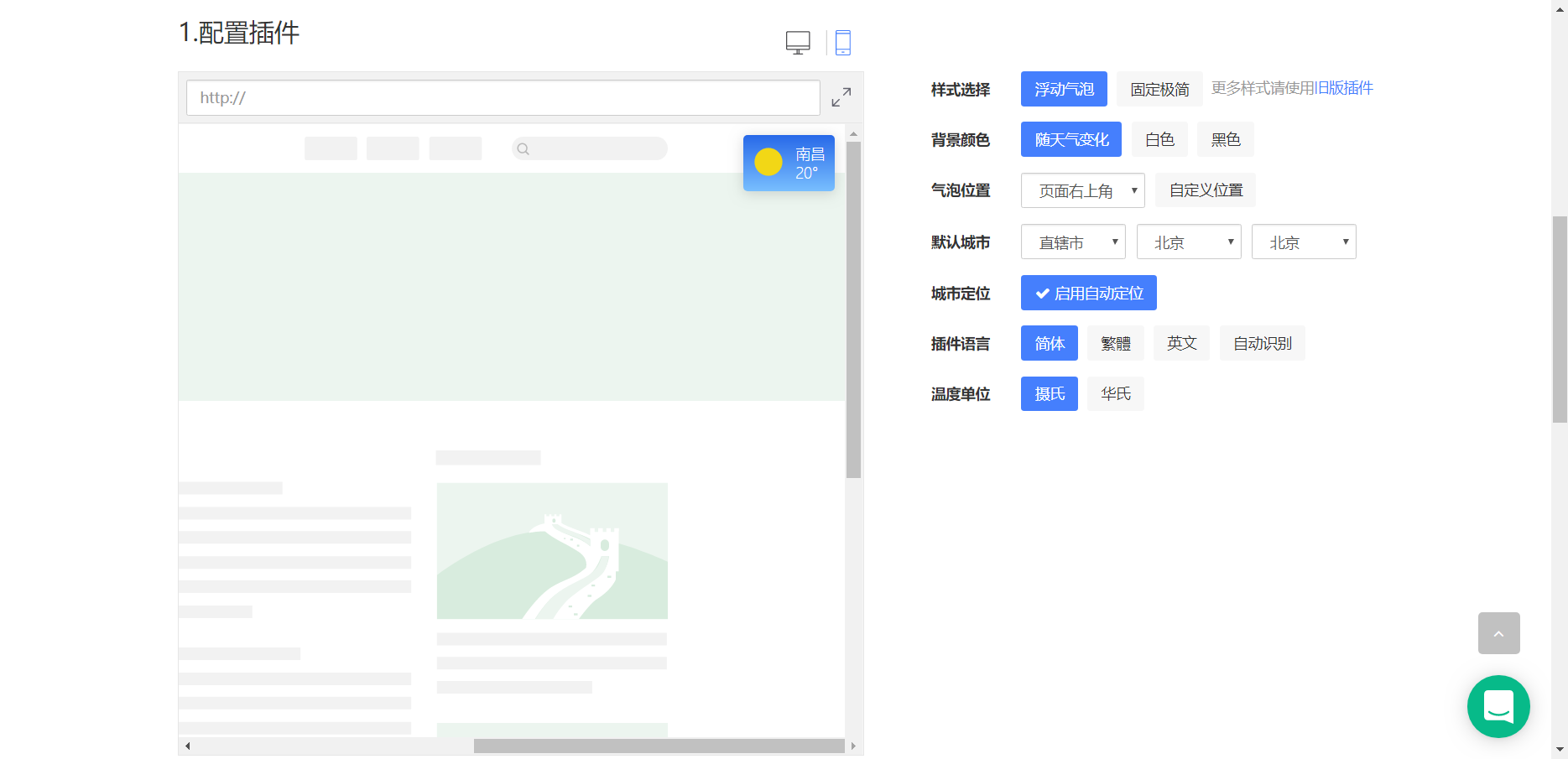
This is my configuration, just follow this one!
Step 4
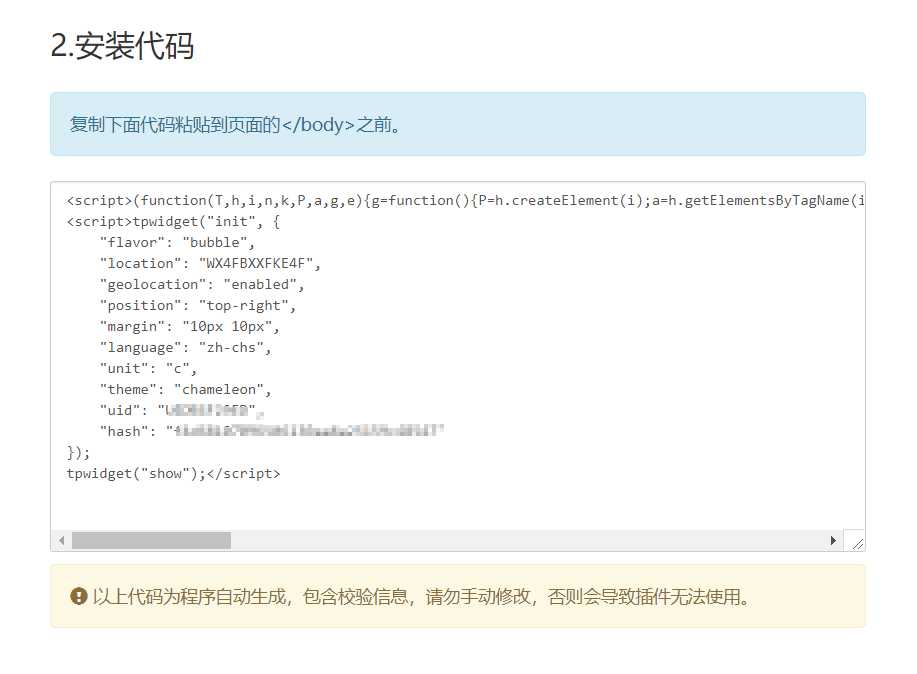
Copy the code
Step 5
If you are using the 老薛 panel, please open your website's root directory
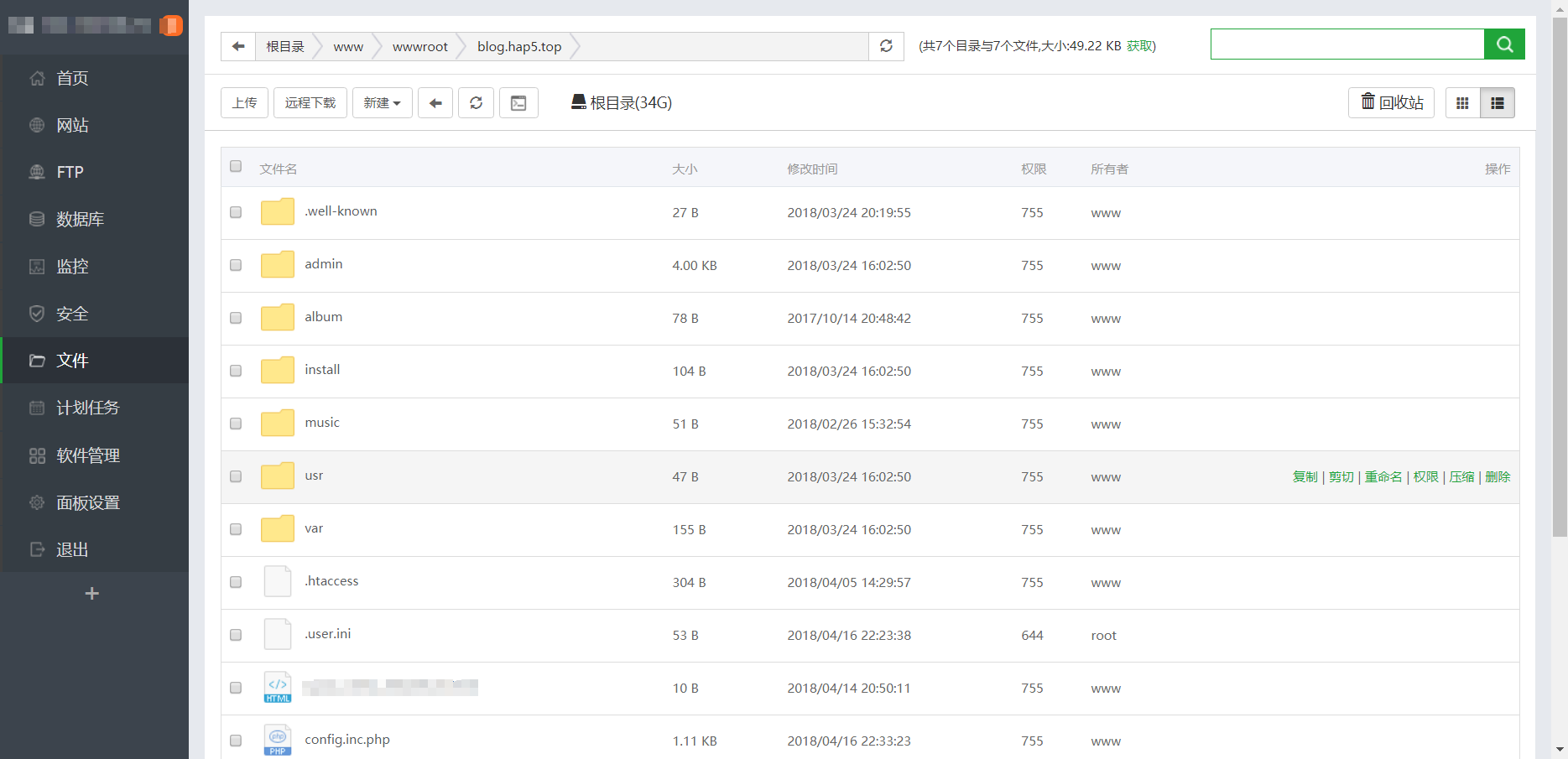
If you are using the Typecho program, please open your theme files. Here we use handmone (https://www.ihewro.com/archives/489/ ) as an example
Step 6
Find the header.php file of your theme
/usr/themes/handsome/component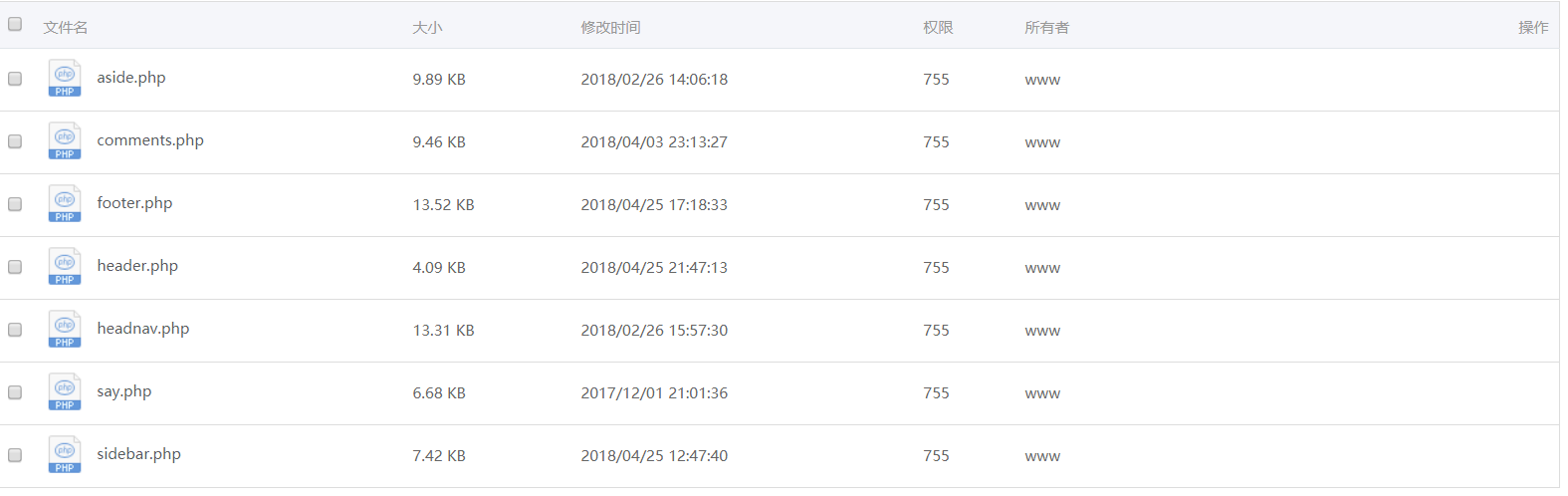
Add the following code
<!--心知天气-->
  <script>(function(T,h,i,n,k,P,a,g,e){g=function(){P=h.createElement(i);a=h.getElementsByTagName(i)[0];P.src=k;P.charset="utf-8";P.async=1;a.parentNode.insertBefore(P,a)};T["ThinkPageWeatherWidgetObject"]=n;T[n]||(T[n]=function(){(T[n].q=T[n].q||[]).push(arguments)});T[n].l=+new Date();if(T.attachEvent){T.attachEvent("onload",g)}else{T.addEventListener("load",g,false)}}(window,document,"script","tpwidget","//widget.seniverse.com/widget/chameleon.js"))</script>
<script>tpwidget("init", {
    "flavor": "bubble",
    "location": "WX4FBXXFKE4F",
    "geolocation": "enabled",
    "position": "top-right",
    "margin": "10px 10px",
    "language": "zh-chs",
    "unit": "c",
    "theme": "chameleon",
    "uid": "U4DB4F29ED",
    "hash": "f4d68107096506130aa8a25159c48547"
});
tpwidget("show");</script>
Please modify it to your own code! Or you can just use mine, though I haven't tested it!
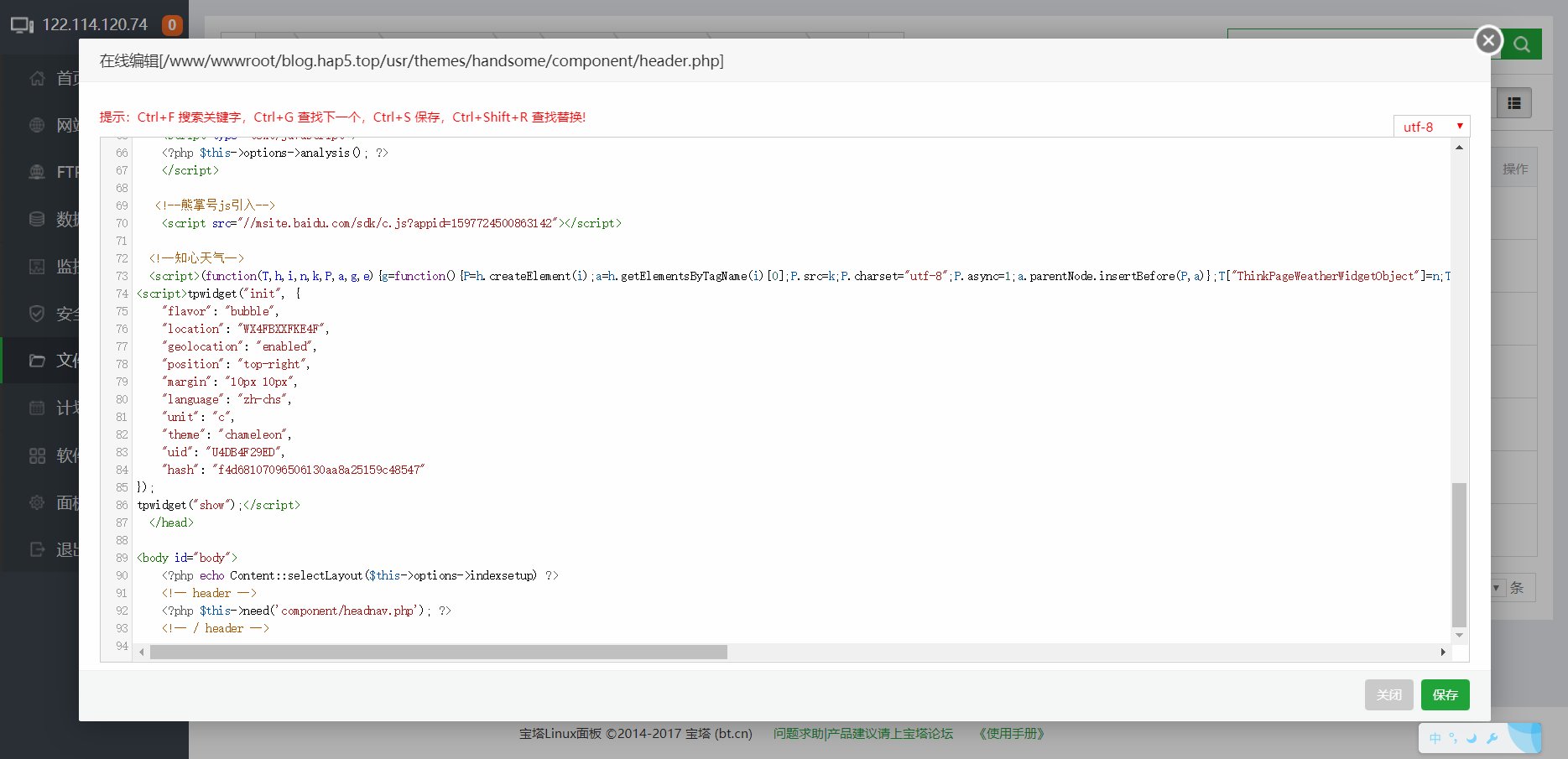
As shown in the picture!!!
And that's it, it's all done!
Conclusion
demo (demonstration)


Isn't it beautiful! Go add it now!
Friendly links:
Comments