
How to Send Comment Reply Email Notifications with SendCloud
Machine-translated (anthropic, claude-haiku-5-5) from the Chinese original. Read the original in 中文
Contents
Introduction
While chatting with a buddy in a group today, someone recommended this trigger-based cloud email sending platform to me! It pairs perfectly with a Typecho plugin. Here's a quick intro from Baidu Baike~
SendCloud由搜狐武汉研发中心孵化的项目,是致力于为开发者提供高质量的触发邮件服务的云端邮件发送平台,为开发者提供便利的API接口来调用服务,让邮件准确迅速到达用户收件箱并获得强大的追踪数据。主要提供两种类型的邮件发送服务,一类是事务性邮件,一类是商务性邮件。Now there's a Typecho plugin that sends emails asynchronously via triggers
Author: 爱喝茶的康康 Plugin name: LoveKKComment. After configuring the plugin in the admin panel, it sends an email notification to the person being replied to whenever a user replies to a comment. It forgoes traditional SMTP and other email sending methods and uses SendCloud for email notifications.
Getting Started
Step 1
First, go to
https://sendcloud.sohu.com/register an account
Step 2
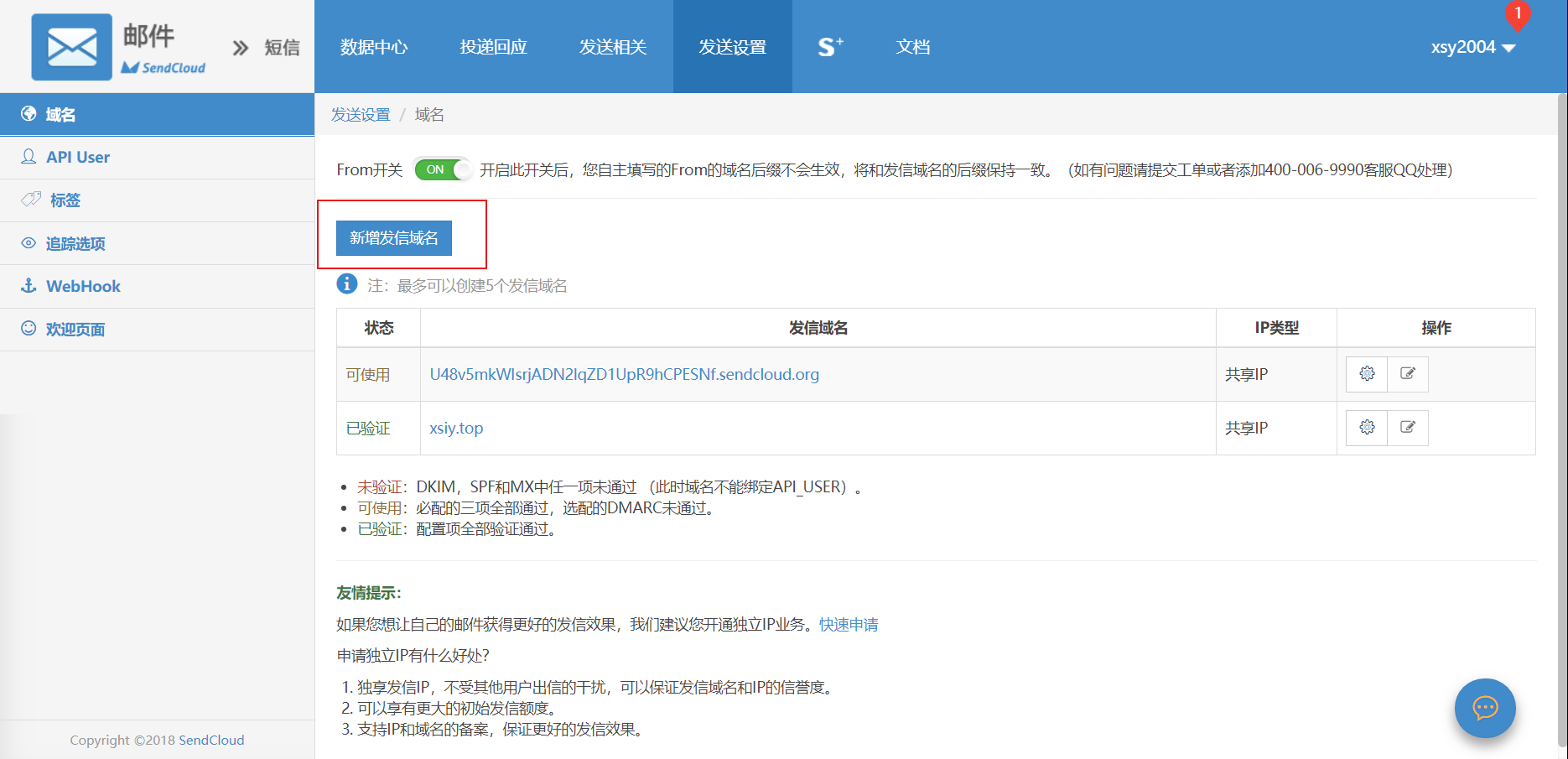
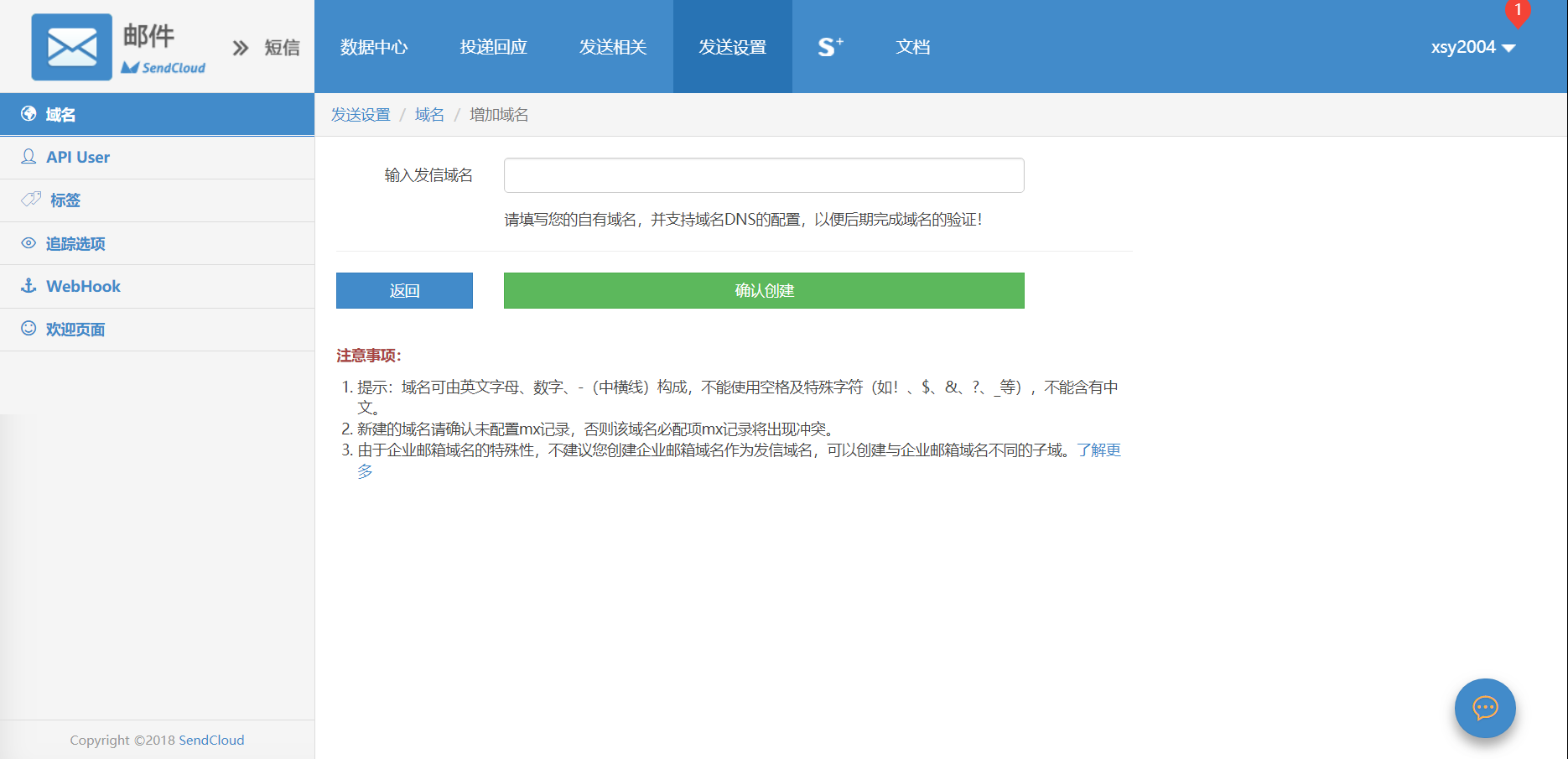
Click Sending Settings and add a sending domain
Step 3
Add API_USER and API_KEY
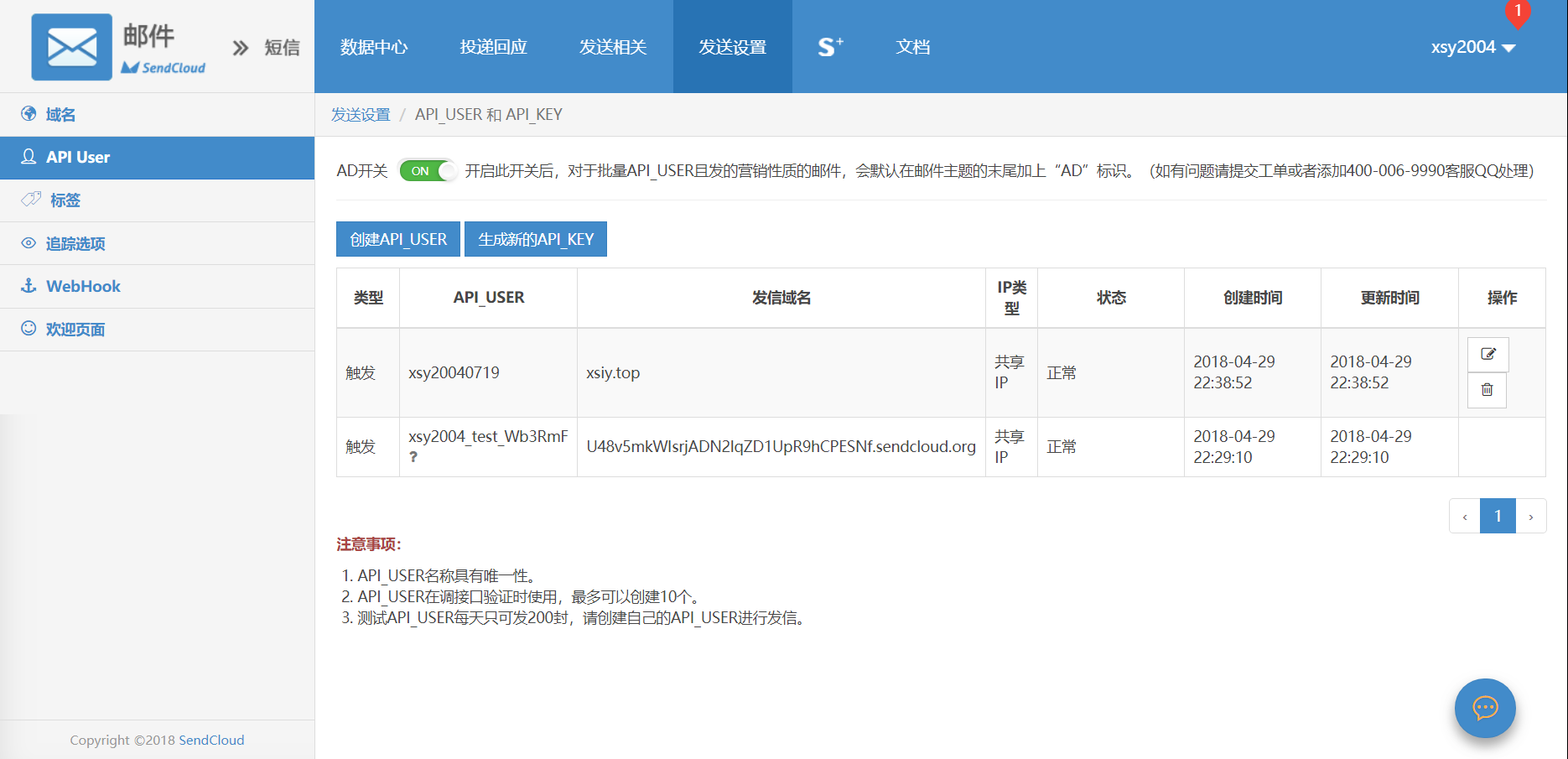
Click to create an API USER
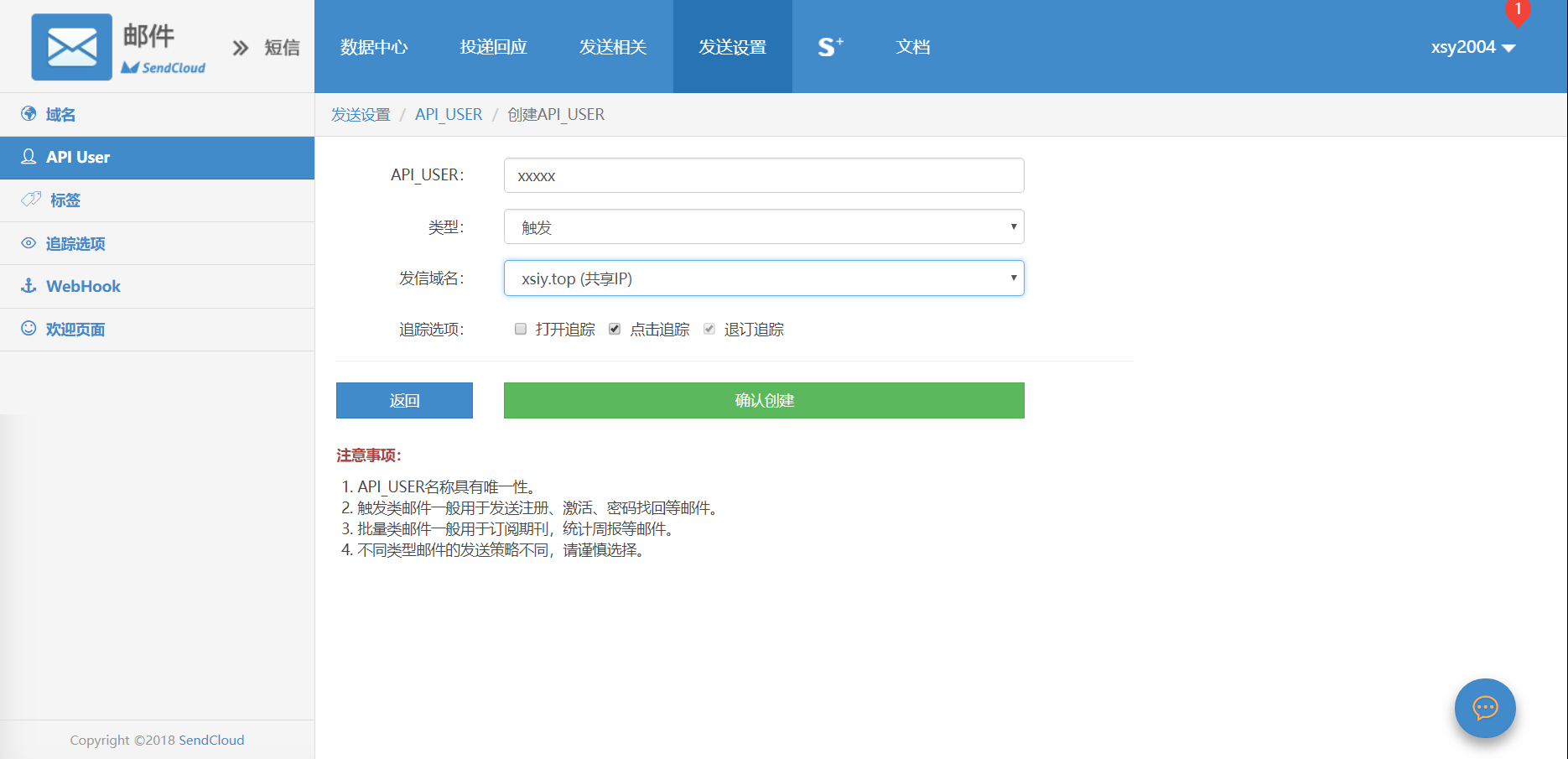
Enter your own API user name as a 6–32 character string
The password is generated only once, so be sure to save it!
Step 4
After adding the sending domain, click Configure
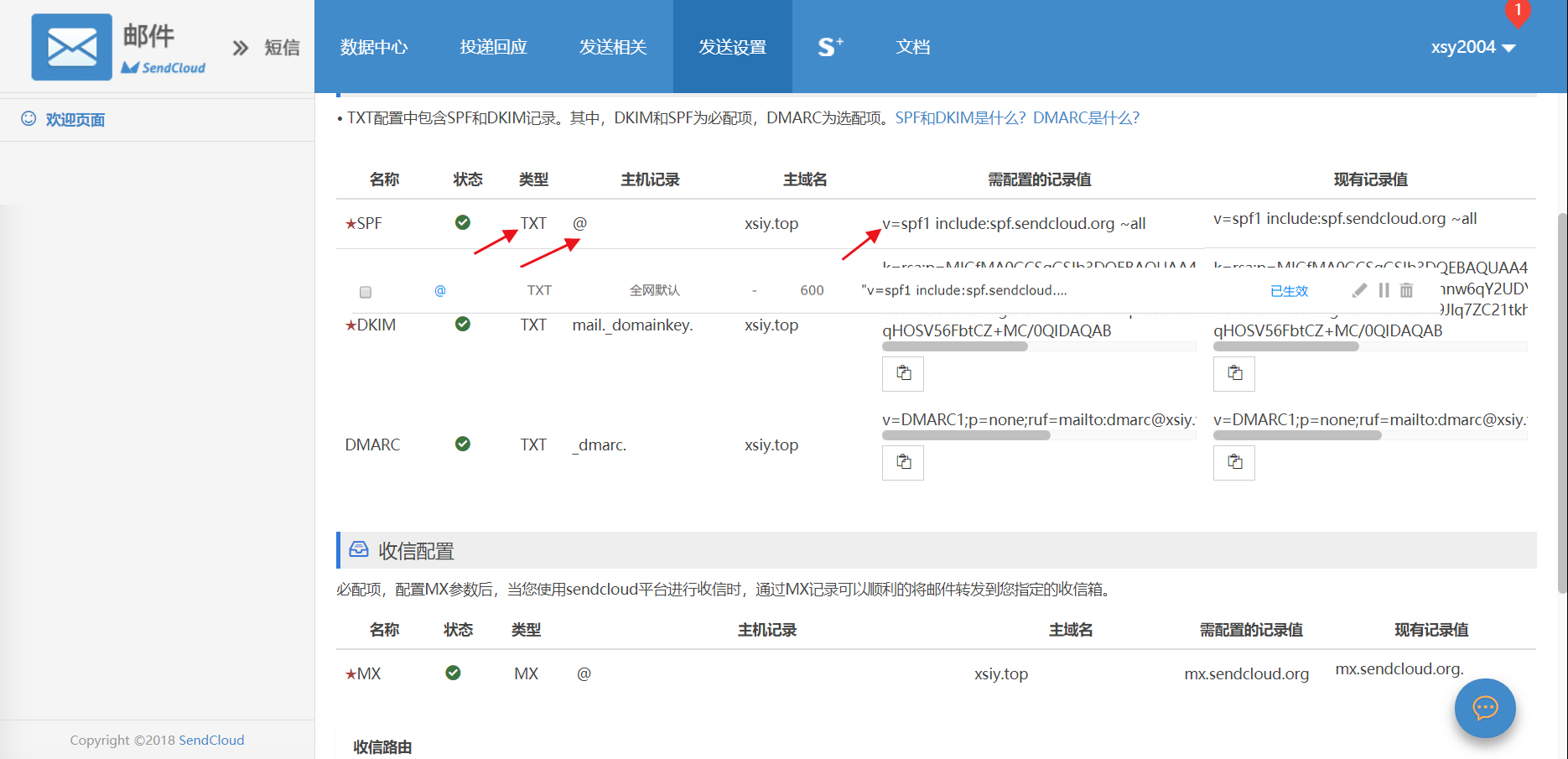
Then configure the DNS records according to the information provided
As shown in the figure, DKIM and SPF are required, while DMARC is optional
SPF (required)
SPF is a DNS record type introduced to combat spam. It lists all IP addresses that are authorized to send outgoing email for a domain
MX (required)
MX is the mail exchange record. It points to a mail server and is used by email systems to locate the mail server based on the recipient's address suffix when sending email
DKIM (required)
DKIM is an important technique for preventing email fraud. Typically, the sender inserts a DKIM-Signature and digital signature information into the email headers, and the receiver obtains the public key via DNS lookup to verify it. Configuration is recommended, especially for users with many overseas domains.
DMARC (optional)
The main purpose of the DMARC protocol is to identify and block fraudulent email. Once configured, the platform will use the current domain as the domain suffix for the From address when delivering email, thereby reducing blocking by mailbox providers, improving email credibility, and increasing inbox delivery rates.
Step 5 (optional)
Add an inbound route
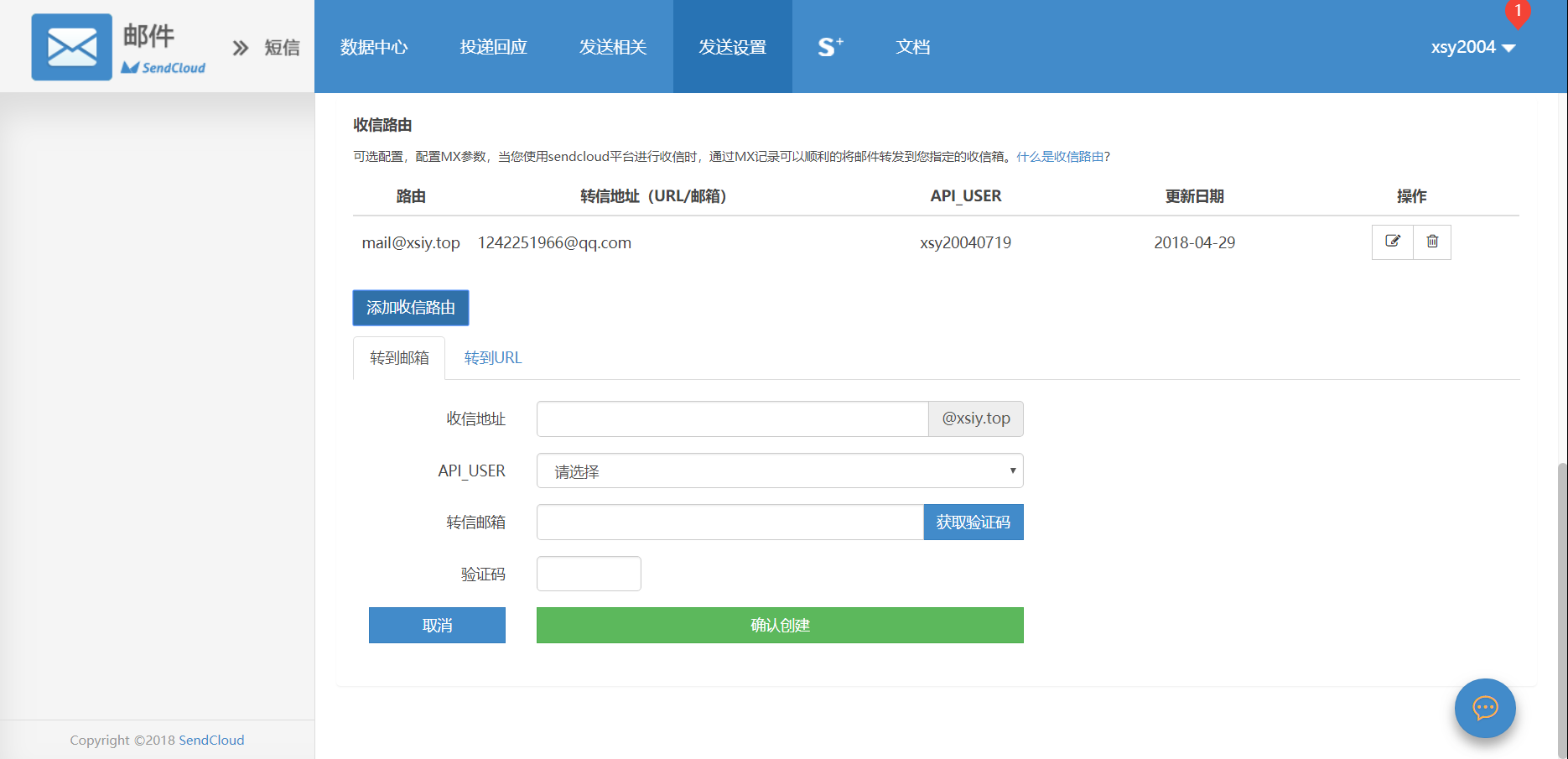
Enter mail as the inbound address
Select the API USER you created earlier for API USER
Enter your personal email address as the forwarding email, then fill in the verification code and save
Next, let's configure the plugin!
Step 6
- Download the latest version of the plugin from releases;
- Extract the downloaded archive and upload it to the Typecho plugin directory (/usr/plugins);
- Activate the plugin in the admin panel;
- Complete all the settings in the plugin configuration;
- Return to the plugin configuration again, and click the newly appeared "one-click create notification template" button to create the notification template.
Backup Download
Backup download link: 下载
FAQ
- If enabling the plugin produces a 500 error, check whether the name of the extracted folder is LoveKKComment. If not, rename it to LoveKKComment.
Comments