
Git Common Commands Quick Reference (Part 1)
Machine-translated (anthropic, claude-haiku-5-5) from the Chinese original. Read the original in 中文
I. Git Command Quick Reference
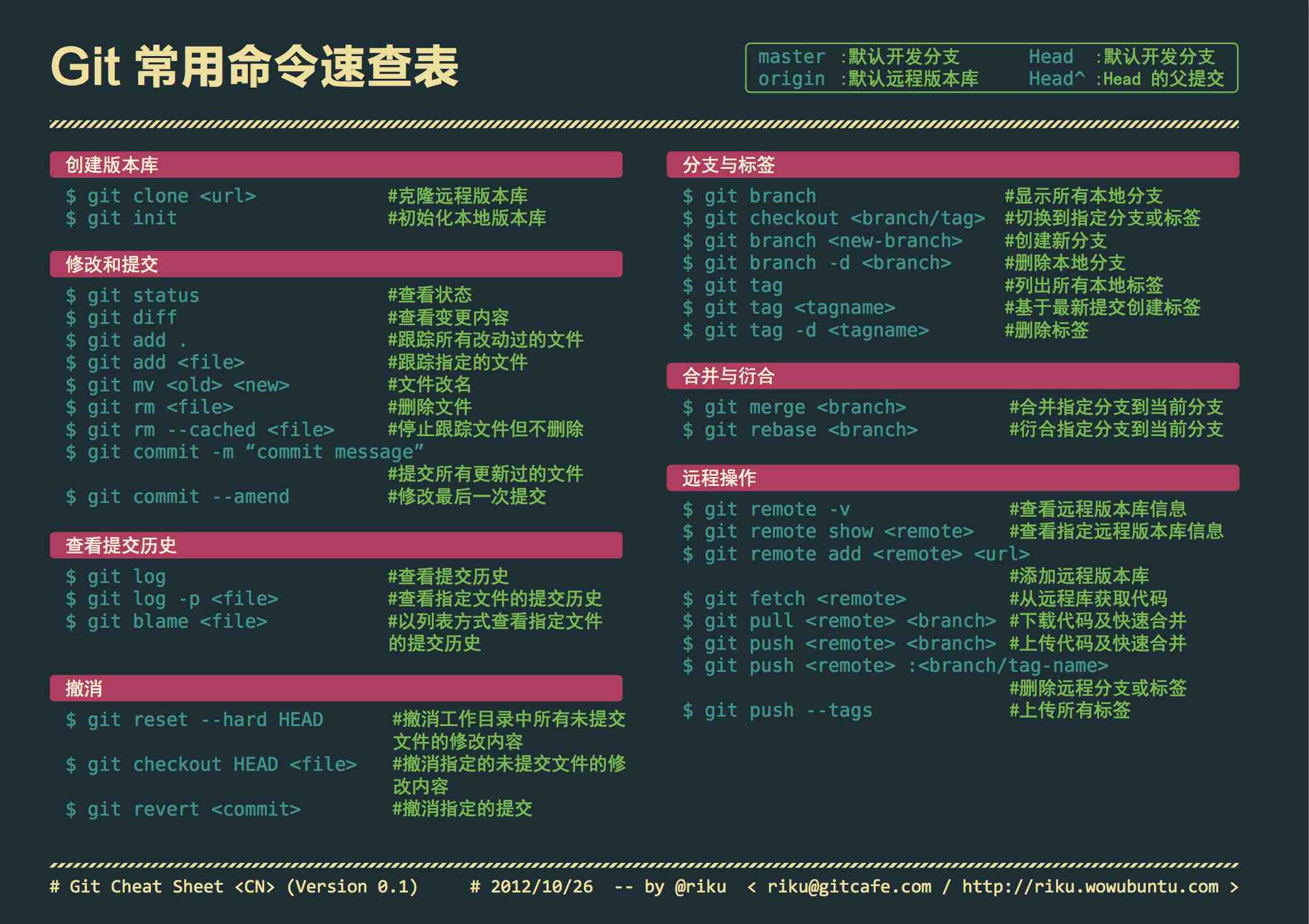
| Command | Brief Description |
|---|---|
| git add | Add to staging area |
| git add–interactive | Interactive add |
| git apply | Apply a patch |
| git am | Apply patches in email format |
| git annotate | Synonym, equivalent to git blame |
| git archive | Archive and package files |
| git bisect | Binary search |
| git blame | Trace file line by line |
| git branch | Branch management |
| git cat-file | Tool for inspecting repository objects |
| git checkout | Check out to working tree, switch or create branches |
| git cherry-pick | Cherry-pick commits |
| git citool | Graphical commit, equivalent to the git gui command |
| git clean | Remove untracked files from the working tree |
| git clone | Clone a repository |
| git commit | Commit |
| git config | Query and modify configuration |
| git describe | Display commit ID intuitively via tags |
| git diff | Compare differences |
| git difftool | Invoke a graphical diff tool |
| git fetch | Fetch commits from a remote repository |
| git format-patch | Create email-format patch files. See the git am command |
| git grep | Tool for searching and locating file contents |
| git gui | Tcl/Tk-based graphical tool, focused on operations such as committing |
| git help | Help |
| git init | Initialize a repository |
git init-db * | Synonym, equivalent to git init |
| git log | Show commit log |
| git merge | Merge branches |
| git mergetool | Graphical conflict resolution |
| git mv | Rename |
| git pull | Pull commits from a remote repository |
| git push | Push to a remote repository |
| git rebase | Rebase branches |
| git rebase–interactive | Interactive branch rebase |
| git reflog | Manage records of reference changes such as branches |
| git remote | Manage remote repositories |
git repo-config * | Synonym, equivalent to git config |
| git reset | Reset the branch pointer |
| git rev-parse | Convert various reference notations into hash values, etc. |
| git revert | Revert commits |
| git rm | Delete files |
| git show | Show various types of objects |
git stage * | Synonym, equivalent to git add |
| git stash | Save and restore work in progress |
| git status | Show working tree file status |
| git tag | Tag (milestone) management |
Comments